
Japan IC cards
Buying, topping up and getting a refund
Already have Suica? You can use it on participating trains, buses and at shops in Fukuoka without buying Hayakaken. Look for the nationwide IC card interoperability mark.
Before buying a card, plan where to return it. Hayakaken works in Tokyo, but refunds are handled by Fukuoka City Subway counters.
Official information checked · Standard adult cards
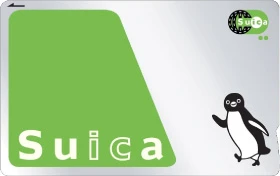
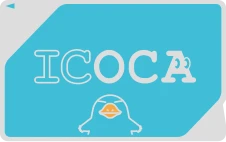
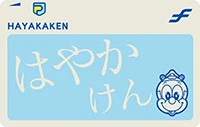
Look for the nationwide IC card interoperability mark.
02 · RefundsFind your refund counterUsing a card in a city does not mean you can return it there.
03 · MobileOn iPhone or Apple WatchAdd a Japanese transit card in the Wallet app.
Where in Japan will you buy your card?
Buy Suica or PASMO in Tokyo, ICOCA in Osaka, or Hayakaken, SUGOCA or nimoca in Fukuoka. Choose a region to find the cards sold there and their purchase and refund counters.
Hokkaido
北海道JR's Kitaca can also be used in other cities on participating services. SAPICA for Sapporo Subway has regional limits.
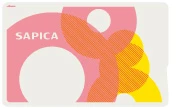
SAPICAサピカ
Sapporo Subway · Streetcar · Selected buses
- Deposit
- 500 yen
- Refund fee
- 200 yen
Tohoku
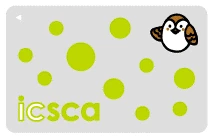
東北Suica and icsca sold in Sendai have different coverage. Choose nationwide Suica for participating services in other cities too. Some Tohoku stations and buses do not accept IC cards.
Tokyo · Kanto
Tokyo / Kanto · 東京 / 関東Buy Suica or PASMO, or use an existing ICOCA or Hayakaken on participating nationwide routes. Welcome Suica expires and has no standard balance refund.
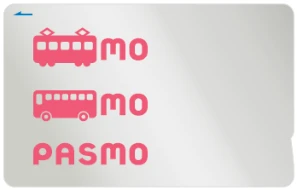
PASMOパスモ
Tokyo area · Private railways, subways and buses
- Deposit
- 500 yen
- Refund fee
- 220 yen
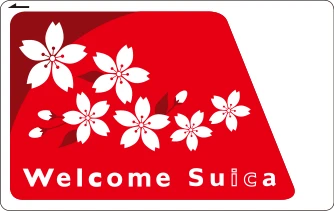
Welcome Suicaウェルカムスイカ
For visitors arriving in Tokyo
- Deposit
- 0 yen
- Refund fee
- No standard balance refund
Nagoya · Chubu
Nagoya / Chubu · 名古屋 / 中部Nagoya offers JR's TOICA and manaca for the subway, Meitetsu and other operators. Some routes sell Suica in Niigata and Nagano or ICOCA in Hokuriku. Sales locations depend on the city and railway.


manacaマナカ
Nagoya Subway · Meitetsu and other operators
- Deposit
- 500 yen
- Refund fee
- 220 yen
Osaka · Kansai
Osaka / Kansai · 大阪 / 関西ICOCA can be bought and topped up at a station during your trip. PiTaPa is a postpaid card requiring an application and screening.

PiTaPaピタパ
Kansai private railways · Subways and other services
- Deposit
- Membership terms apply
- Refund fee
- Ask the issuer
Hiroshima · Chugoku
Hiroshima / Chugoku · 広島 / 中国Use ICOCA on participating railways and buses. Some bus companies use local cards or separate mobile tickets, so consult the operator's payment instructions for your route.
Shikoku
四国Iyotetsu in Matsuyama accepts nationwide cards such as ICOCA. Coverage differs on JR Shikoku and routes in Takamatsu, Kochi and Tokushima. Local cards such as IruCa and DESUCA do not work nationwide.
Fukuoka · Kyushu
Fukuoka / Kyushu · 福岡 / 九州Buy Hayakaken from Fukuoka City Subway, SUGOCA from JR Kyushu or nimoca from Nishitetsu. All three join nationwide interoperability, but their refund counters differ. Some rural Kyushu buses do not accept nationwide IC cards.
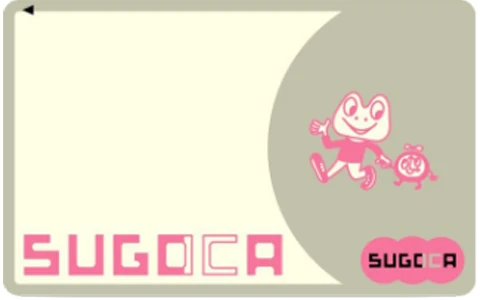
SUGOCAスゴカ
Fukuoka and other JR Kyushu SUGOCA areas
- Deposit
- 500 yen
- Refund fee
- 220 yen

nimocaニモカ
Fukuoka · Nishitetsu and other operators
- Deposit
- 500 yen
- Refund fee
- 220 yen
Okinawa
沖縄Yui Rail accepts nationwide cards such as Suica as well as OKICA. Bus acceptance varies by operator and route. OKICA is a main-island local card; research transport separately for Ishigaki and Miyakojima.

OKICAオキカ
Okinawa main island · Yui Rail · Selected buses
- Deposit
- 500 yen
- Refund fee
- Varies by operator
This guide covers 14 major IC cards. Commuter passes, children's cards and commemorative editions may have different purchase and refund conditions.
Where can you use an IC card?
Trains, subways and buses
Use your card on routes that accept nationwide interoperable IC cards. On trains, tap the same card when entering and leaving. Buses may require a tap when boarding, when getting off, or both; follow the signs at the door and on board.
Convenience stores, restaurants and vending machines
Look for the IC card payment mark. At the checkout, name your card, such as Suica or ICOCA, then tap when the amount appears on the reader. At a vending machine, choose an item and follow the machine's instructions.
Hotels, shops and lockers
Participating hotels, shops and IC card lockers also accept payment. A hotel may accept IC cards at its shop but have different rules for room charges. Ask about acceptance and payment limits before planning to pay for your stay.
Sources: nimoca nationwide interoperability · Fukuoka City Subway usage guide · icsca FAQ · Checked 2026-10-17
How to buy and top up a physical card
Buying your first card
- Buy from a station machine or sales counter.
Use the sales locations in the regional card guides. Many convenience stores can top up cards but do not sell new ones.
- Visit a counter for a child's or registered card.
Bring proof of age for a child's card. Registered cards may require identification and personal details. An unregistered card is difficult to replace if lost.
- Your usable balance excludes the deposit.
A standard ICOCA costs JPY 2,000: JPY 500 is the deposit and JPY 1,500 is available for travel and purchases.
Adding money
- Use a station top-up machine or a participating convenience store.
Suica and ICOCA can be topped up at station machines and participating convenience stores. SAPICA, icsca and OKICA require their own supported top-up locations.
- Select チャージ (Charge) on the machine.
Insert the card or place it on the marked reader, choose an amount and insert cash. At a convenience store, tell the staff which card and amount you want to top up. Accepted amounts and banknotes vary by machine.
- Collect your card and change.
Check the amount on the screen or receipt. Standard prepaid cards such as Suica and ICOCA can hold up to JPY 20,000.
Sources: ICOCA · Top-up instructions · Checked 2026-10-17
Where should you return your IC card?
Return Hayakaken to Fukuoka City Subway. A Suica issued by JR East must go to a designated JR East counter. You cannot return a card in every city where it works. If you are leaving Japan from Tokyo after visiting Fukuoka, return Hayakaken before leaving Fukuoka or keep it for a future trip.
Remaining balance − refund fee + deposit = refund
If a Hayakaken balance is below JPY 220, only that remaining balance is deducted as the fee and the JPY 500 deposit is returned. SAPICA's fee is JPY 200; OKICA's depends on the operator. Cards with commuter passes, mobile features or credit functions have separate refund procedures.
Sources: Hayakaken refunds · SAPICA · OKICA · Checked 2026-10-17
Instead of a physical card
Can you use Apple Wallet?
Yes. Add Suica, PASMO or ICOCA in Apple Wallet, then tap your iPhone or Apple Watch for accepted train, bus and shop payments. Hayakaken cannot be added to Wallet, but mobile Suica works on Fukuoka routes accepting nationwide interoperable cards.
Adding a credit card to Apple Pay does not create a Japanese transit card. Add and fund the transit card separately in Wallet.
- 1Open Wallet and tap + to add a card.
- 2Select Transit Card, then choose Suica, PASMO or ICOCA.
- 3Choose an amount to add and pay with an eligible payment card in Wallet.
- 4At the ticket gate, tap the iPhone or Apple Watch set up for Express Mode.
Before travelling from Canada, check your device and the actual payment card you plan to use in Wallet. Apple Pay support does not guarantee that every Canadian-issued card can fund a Japanese transit card. Have yen cash available for a physical card or supported top-up machine if needed. All prices here are JPY, not Canadian dollars. Compatibility with individual issuers remains unknown.
Device, funding and refund conditions
- You generally need iPhone 8 or later or Apple Watch Series 3 or later, running the latest supported OS. Some older Japan-sold devices have separate Suica-only conditions. Enable two-factor authentication for your Apple Account.
- Adding and topping up a card requires an eligible payment card in Wallet. Do not assume a Canadian-issued card can fund a Japanese transit card simply because it supports other payments. Exact issuer compatibility is unknown. Apple Pay age requirements vary by country or region.
- You can transfer eligible physical cards into Wallet. Only supported card types qualify, and the physical card stops working after transfer.
- TOICA is added or transferred as an ICOCA TOICA model. After transfer, JR West's ICOCA service manages the card.
- One transit card cannot be on your iPhone and Apple Watch at the same time. Each person needs a separate card.
- Removing a card from Wallet does not refund its balance. Apply through the relevant card app; account and other refund requirements apply.
- Welcome Suica Mobile is separate from the physical Welcome Suica. Their validity periods differ; follow the expiry date shown in the mobile app.
Official information checked 2026-10-17
What can you do if your IC card is lost?
Finding the physical card and recovering its balance are separate matters. Contact the station or transport operator’s lost-property office to look for a lost card. If it cannot be found, whether the balance can be protected depends on the card type.
Unregistered Suica and PASMO cannot be replaced if lost
Unregistered Suica, PASMO and standard unregistered adult ICOCA cards cannot be replaced after loss. If you cannot recover the physical card, you cannot transfer the remaining balance to a new card or obtain a refund. A lost or stolen physical Welcome Suica cannot be replaced either. A photograph of the card or a purchase receipt does not establish eligibility for replacement.
For an eligible registered card, request suspension and replacement
Registered My Suica, PASMO and Hayakaken cards can be replaced after identity checks, subject to their conditions. For ICOCA, check whether the card is an eligible type, such as a child’s card or commuter-pass card. Application and collection locations vary; not every station in Japan can handle the process. For example, apply for a registered Hayakaken replacement through Fukuoka City Subway, then collect it from the next day within 14 days, paying a JPY 520 fee and a JPY 500 deposit for the new card.
If your phone or watch is lost, turn on Lost Mode first
If you lose your iPhone or Apple Watch, use Find My on another device or through iCloud to mark it as lost. Suspend the use of cards in Apple Wallet, then follow the transit card issuer’s app or official recovery and replacement instructions. The procedure depends on your account and device status. Losing the device does not automatically refund your balance.
Steps to take after losing your card
- Contact the last station, bus operator or facility you used about lost property. Searching for the item is separate from suspending the card and requesting a replacement.
- If your card is eligible for replacement, take the required identification to a counter handling that card and request suspension. Details such as your registered name and date of birth must match.
- Confirm when and where to collect the replacement and what fees apply. Even with a registered card, spending by someone else before suspension is completed may not be covered. Arrange tickets or another payment method for travel until your replacement is ready.
Reporting the loss does not necessarily suspend the card immediately or guarantee full compensation. If you find the original card after requesting a replacement, you may be unable to cancel the request or use that card again. Follow the issuer’s instructions.
Official lost-card and replacement information: Suica · PASMO · ICOCA · Hayakaken · Welcome Suica · Apple · Lost-card information checked
More IC card questions
Will my Tokyo IC card work in Fukuoka?
Yes. Suica, PASMO and ICOCA work on participating trains, buses and at shops in Fukuoka. You do not need to buy Hayakaken just because you are visiting Fukuoka. Refunds must still be handled by a designated counter for the issuing company.
Sources: Nationwide interoperability · Using ICOCA · Checked 2026-10-17
Is the JPY 500 deposit part of my spending balance?
No. The deposit is held until you return the card and cannot be spent. A JPY 2,000 card including a JPY 500 deposit has JPY 1,500 to spend. When you return it, the deposit and remaining balance are refunded under that card's rules.
Sources: Nationwide interoperability · Using ICOCA · Checked 2026-10-17
Does each traveller need an IC card?
No. Each person needs a separate card, including separate mobile cards. For a child's card, apply at a sales counter with proof of age.
Sources: Nationwide interoperability · Using ICOCA · Checked 2026-10-17
Do I need an IC card if I have a JR Pass?
Suica and ICOCA deduct a fare from your stored balance for each ride. A JR Pass covers specified routes and trains during a set period. Before using a Shinkansen or limited express, find out whether a separate ticket, reservation or IC card registration is needed.
Sources: Nationwide interoperability · Using ICOCA · Checked 2026-10-17
Is my remaining IC card balance protected if the card is lost?
Unregistered Suica, PASMO and standard unregistered adult ICOCA cannot be replaced after loss. If the physical card cannot be found, its balance cannot be transferred or refunded; a photo or receipt alone does not make it replaceable. Eligible registered My Suica, PASMO and Hayakaken cards can be replaced after identity checks, but spending by someone else before suspension is completed is not necessarily covered. A lost or stolen physical Welcome Suica cannot be replaced either.
Official lost-card and replacement information: Lost cards and replacements · Lost-card information checked 2026-10-18
I lost the phone holding my Apple Wallet transit card. What should I do?
First, use Find My on another device or through iCloud to mark the device as lost and suspend the use of its Apple Wallet cards. Then follow the transit card issuer’s recovery or replacement instructions. The steps depend on your account and device status. Losing your phone does not automatically refund the balance.
Official lost-card and replacement information: Lost cards and replacements · Lost-card information checked 2026-10-18
Plan transport in your destination
Once your card is ready, find the trains and buses between your accommodation and the places you want to visit. The city guides explain local travel options.